Tiny Ipsum copies custom Lorem Ipsum text from your Mac's menu bar.
It's a quick, elegant way to get placeholder text: click once and words, sentences, or paragraphs land on your clipboard, ready to paste. Tiny Ipsum is free, works entirely offline, and never needs a window.
What is Tiny Ipsum?
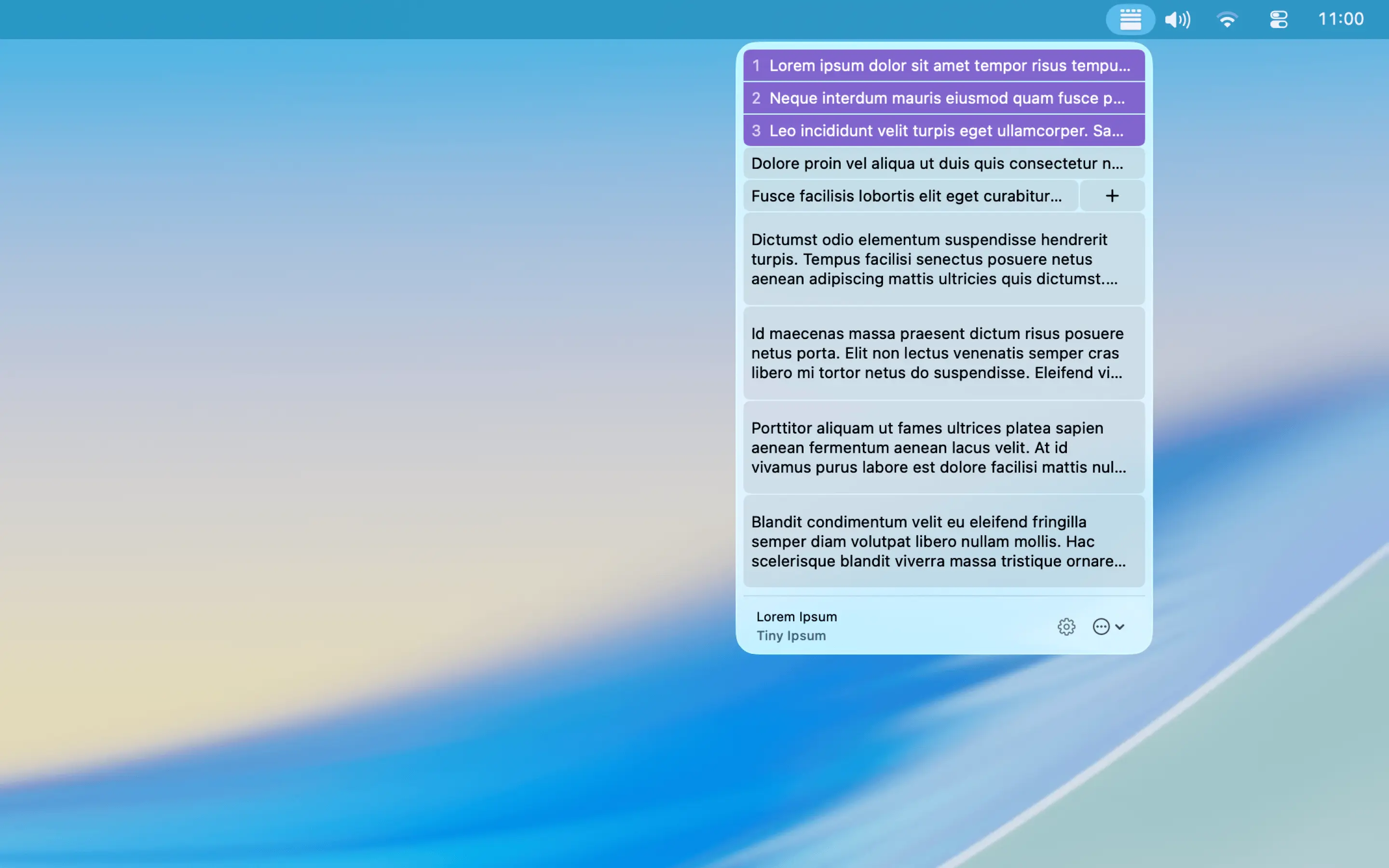
Tiny Ipsum is a small, easily accessible menu-bar application that gives you quick access to a large array of placeholder text — also known as Lorem Ipsum, or simply Lipsum. There's no window to open, no site to visit, and no cookie banner to dismiss.
What can I do with it?
Click the menu-bar icon and you get three rows of tiles: words, sentences, and paragraphs. Click one and that much text is on your clipboard. Right-click to copy it wrapped in HTML instead.
Generate from the classic Lorem Ipsum pool, from a built-in preset like Coffee, Corporate, or Sagan, or from a word pool you build yourself. Style presets recolor the whole menu to match how you work.
What you can do with Tiny Ipsum
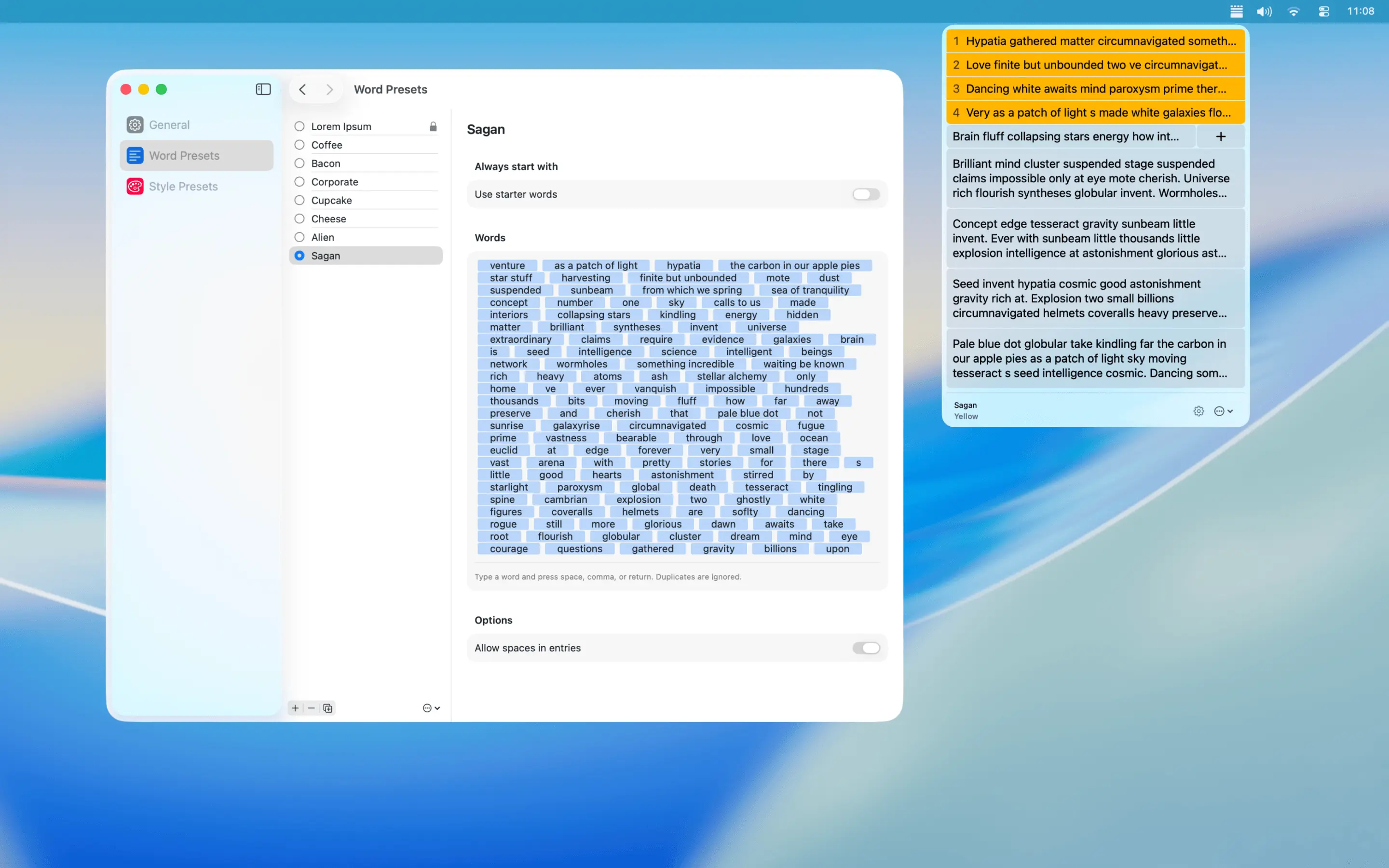
Custom word pools and eight built-in presets
- Build your own word pool and generate from only the words you want.
- Allow spaces in your word pool so multi-word phrases stay together.
- Start every block with a signature phrase of up to five words.
- Eight presets built in: classic Lorem Ipsum plus Coffee, Bacon, Corporate, Cupcake, Cheese, Alien, and Sagan.
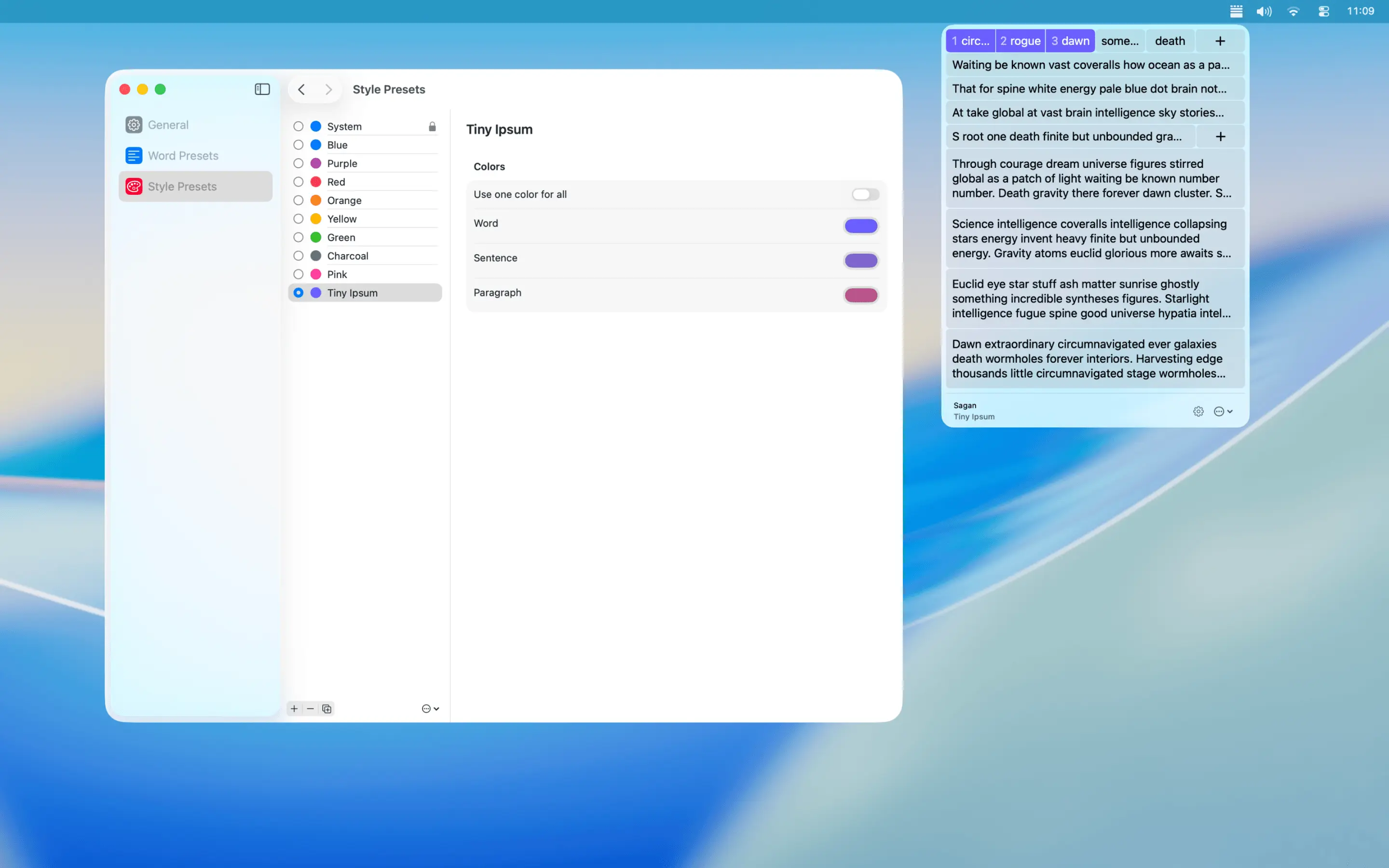
Colors, themes, and tile size
- Pick your own colors, or set a single color for the whole menu.
- Let the System preset follow your macOS accent color automatically.
- Name your custom themes — something catchy and concise.
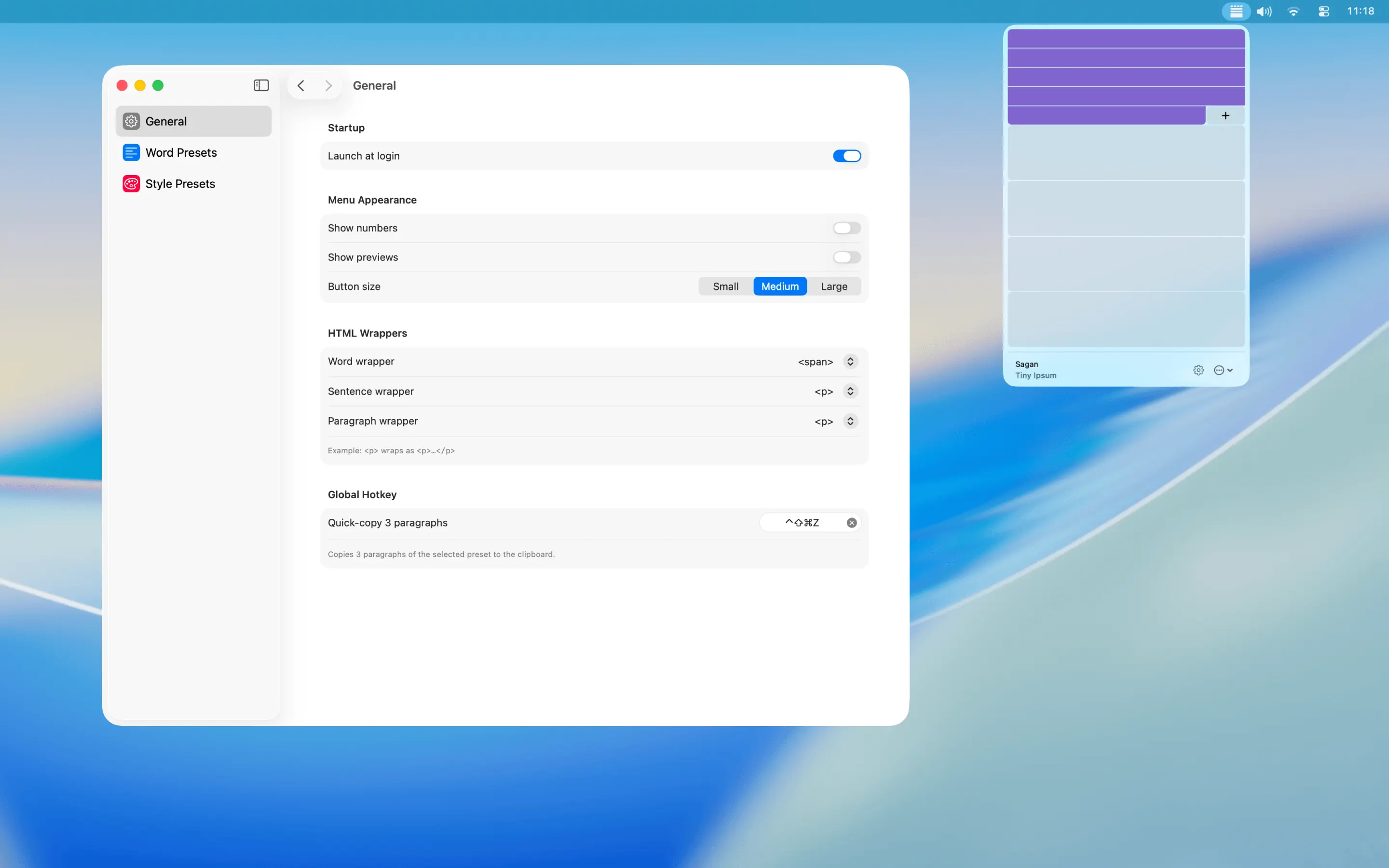
- Change tile size to suit your setup: Small, Medium, or Large.
New in 2.0
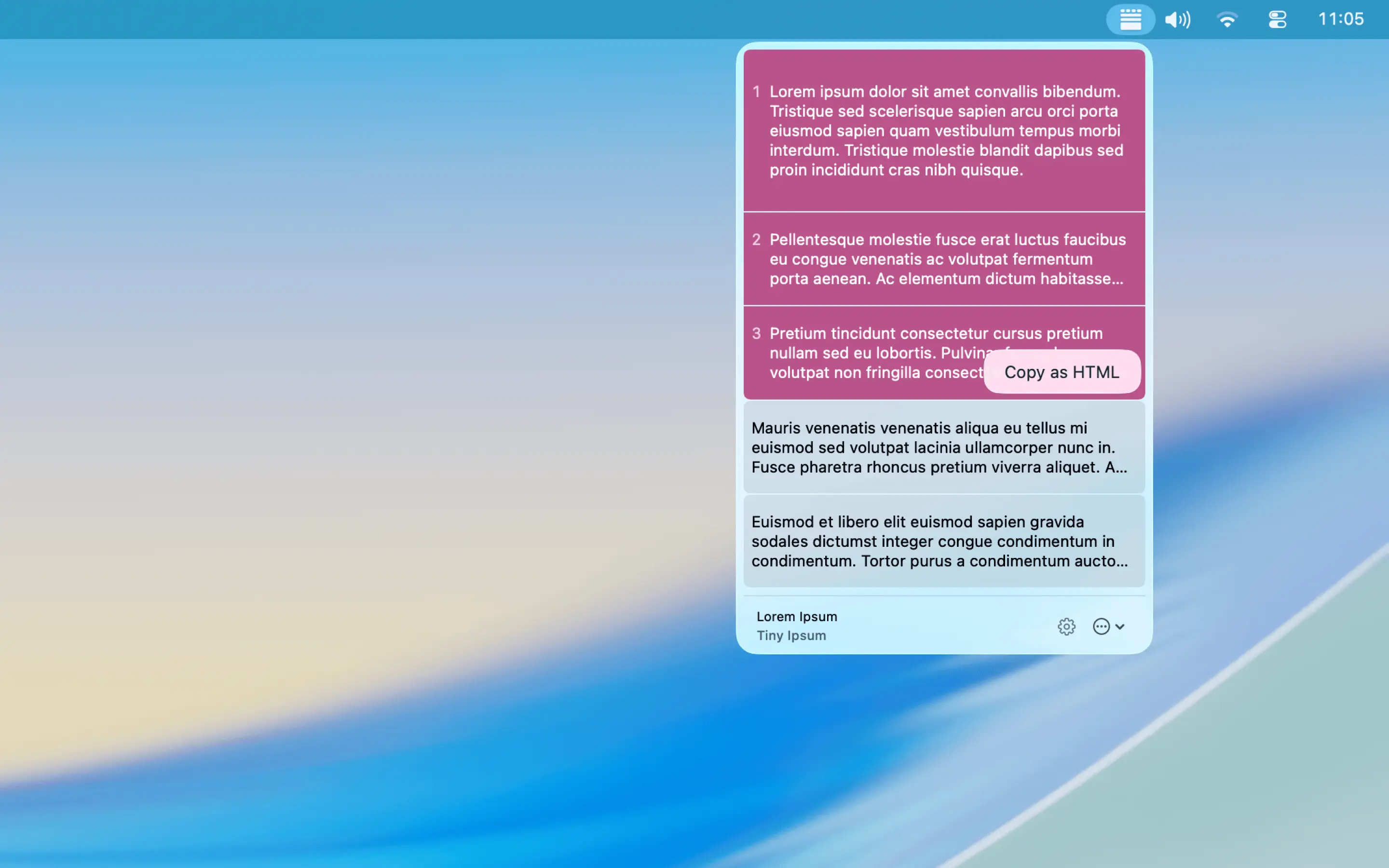
Copy as HTML, global hotkey, and Shortcuts
- Right-click any tile to copy the text wrapped in HTML, with separate tag settings for words, sentences, and paragraphs.
- Set a global keyboard shortcut that copies three paragraphs without opening the panel.
- Use it from Shortcuts, Siri, and Spotlight — just ask for "Generate Tiny Ipsum text".
Launch at login and menu options
- Automatically start Tiny Ipsum when you log in.
- Toggle numbers and preview labels on the menu tiles.
- Show a brief confirmation whenever you copy something.
- Restore any built-in preset you've deleted, at any time.
Frequently asked questions
Is Tiny Ipsum free?
Yes. Tiny Ipsum is a free download from the Mac App Store. The current release is version 2.0.2.
What do I need to run Tiny Ipsum?
A Mac running macOS 26 or later. Tiny Ipsum runs in the menu bar rather than in a window, so there is nothing to open and nothing to keep on screen.
Does Tiny Ipsum collect any data?
No. Tiny Ipsum has no accounts, no analytics, and no network access at all. It generates every word on your device, and your presets stay on your Mac.
Can I generate text from my own words instead of Lorem Ipsum?
Yes. Build your own word pool and Tiny Ipsum will generate from only the words you give it. You can allow spaces so multi-word phrases stay together, and start every block with a signature phrase of up to five words. Eight presets are built in as well: classic Lorem Ipsum plus Coffee, Bacon, Corporate, Cupcake, Cheese, Alien, and Sagan.
Can I copy placeholder text as HTML?
Yes. Right-click any tile to copy the text wrapped in HTML instead of as plain text. Words, sentences, and paragraphs each get their own tag setting, so you can wrap paragraphs in one tag and words in another.
Does Tiny Ipsum work with Shortcuts, Siri, and Spotlight?
Yes. Ask for "Generate Tiny Ipsum text" from Shortcuts, Siri, or Spotlight. You can also set a global keyboard shortcut that copies three paragraphs without opening the panel at all.
Private by default — Tiny Ipsum collects nothing
Tiny Ipsum has no accounts, no analytics, and no network access. It doesn't collect anything, because it doesn't need to. Your presets stay on your Mac.
Read the privacy policy